
Install Perplexity Desktop
Install Perplexity Desktop
Install Perplexity Desktop (important that it’s the desktop version).
2
Create an account
If you don’t already have one, create an account.
3
Open Perplexity Desktop
Launch the app to get started.
Set up Connector
1
Open settings
In the bottom-right corner, click the cogwheel.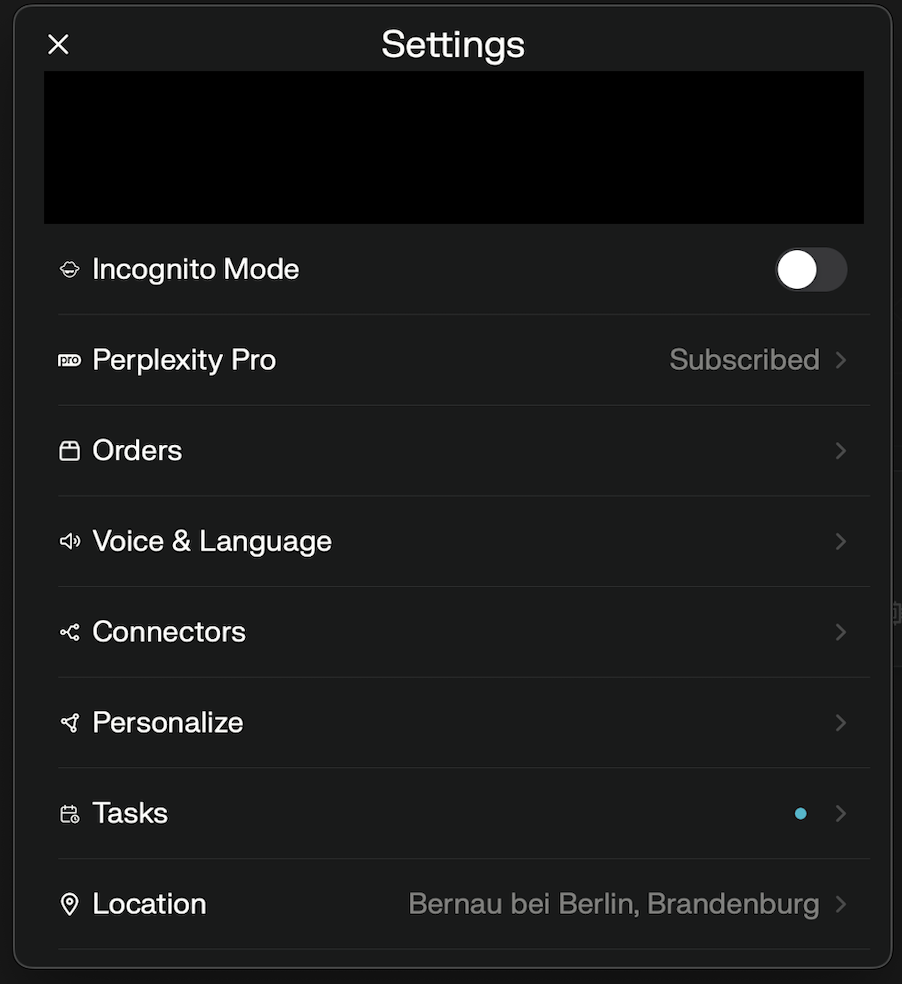
2
Add a connector
Click 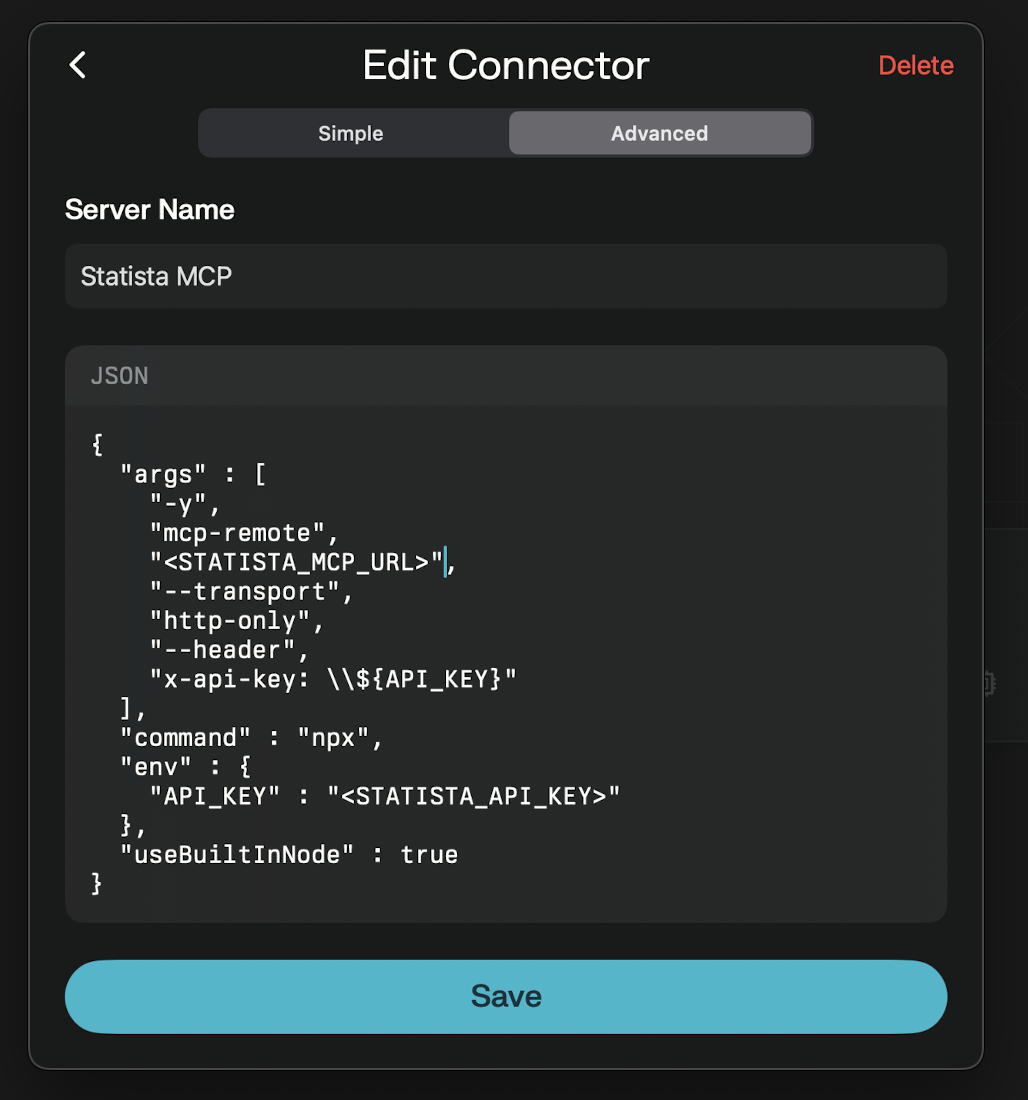
Connectors, then click + Add Connector and choose Advanced.Paste the configuration
Copy/paste this into the text-box:
Replace
<STATISTA_MCP_URL> and <STATISTA_API_KEY> with provided credentials from Statista.4
Save the connector
Save your new connector.
5
Toggle Statista MCP as a source
Toggle 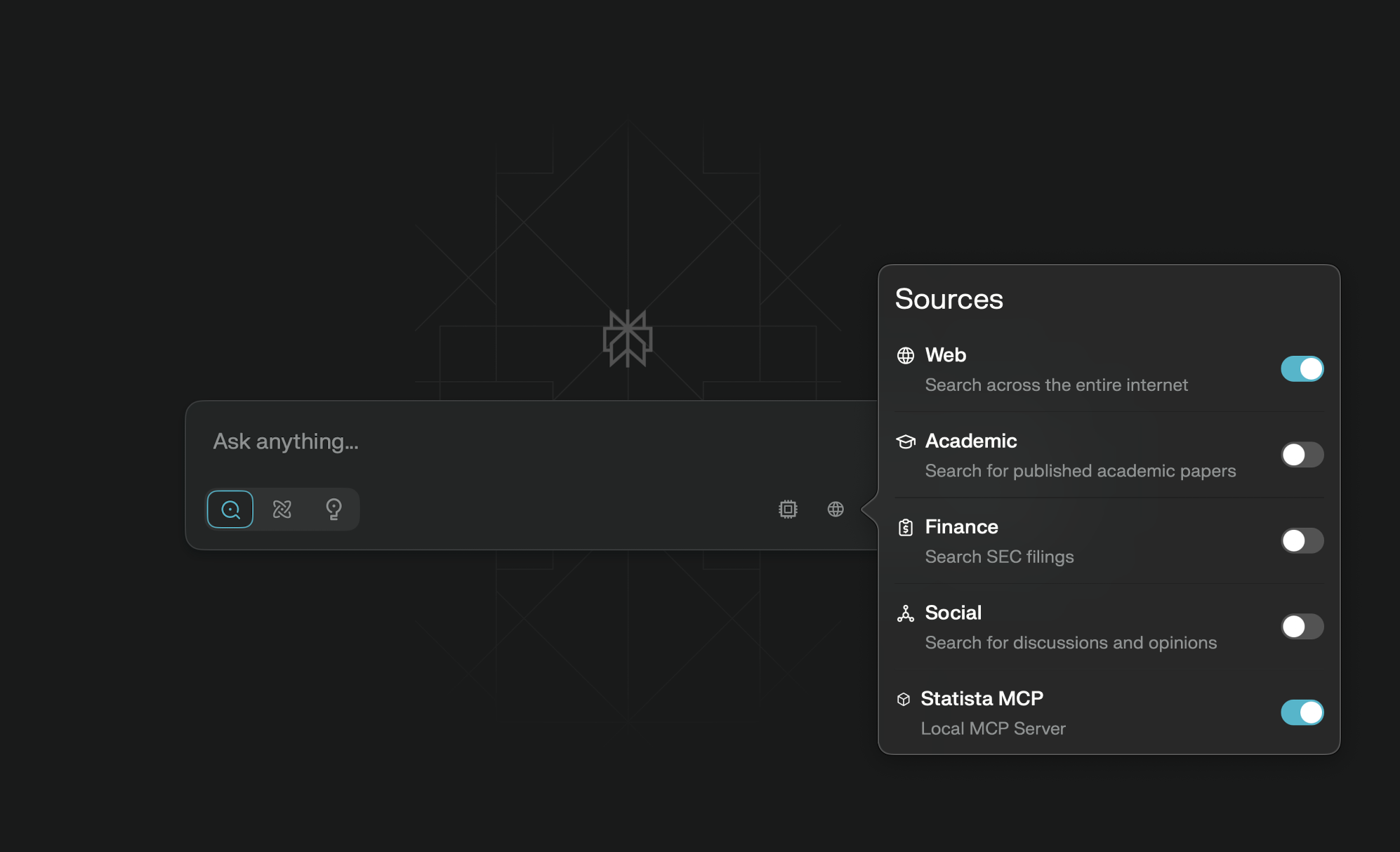
Statista MCP as a source.